---
title: Completing the Data Sharing Agreement
description: Learn how to complete your province's Data Sharing Agreement as a first step to compliance. This allows MedEssist to submit your incidents to the NIDR.
---
[Skip to content](https://help.medessist.com/completing-the-data-sharing-agreement#main-content)
[](https://help.medessist.com?hsLang=en)
Open main navigation
Close main navigation
- [Launch MedEssist](https://app.medessist.com/)
[Launch MedEssist](https://app.medessist.com/)
How can we help you?
- There are no suggestions because the search field is empty.
1. [MedEssist Help](https://help.medessist.com/?hsLang=en)
2. [Incident Reporting](https://help.medessist.com/incident-reporting?hsLang=en)
3. [Getting Started](https://help.medessist.com/incident-reporting?hsLang=en#getting-started)
# Completing the Data Sharing Agreement
## Learn how to complete your province's Data Sharing Agreement as a first step to compliance. This allows MedEssist to submit your incidents to the NIDR.
### 1. Navigate to [https://app.medessist.com/home](https://app.medessist.com/home)
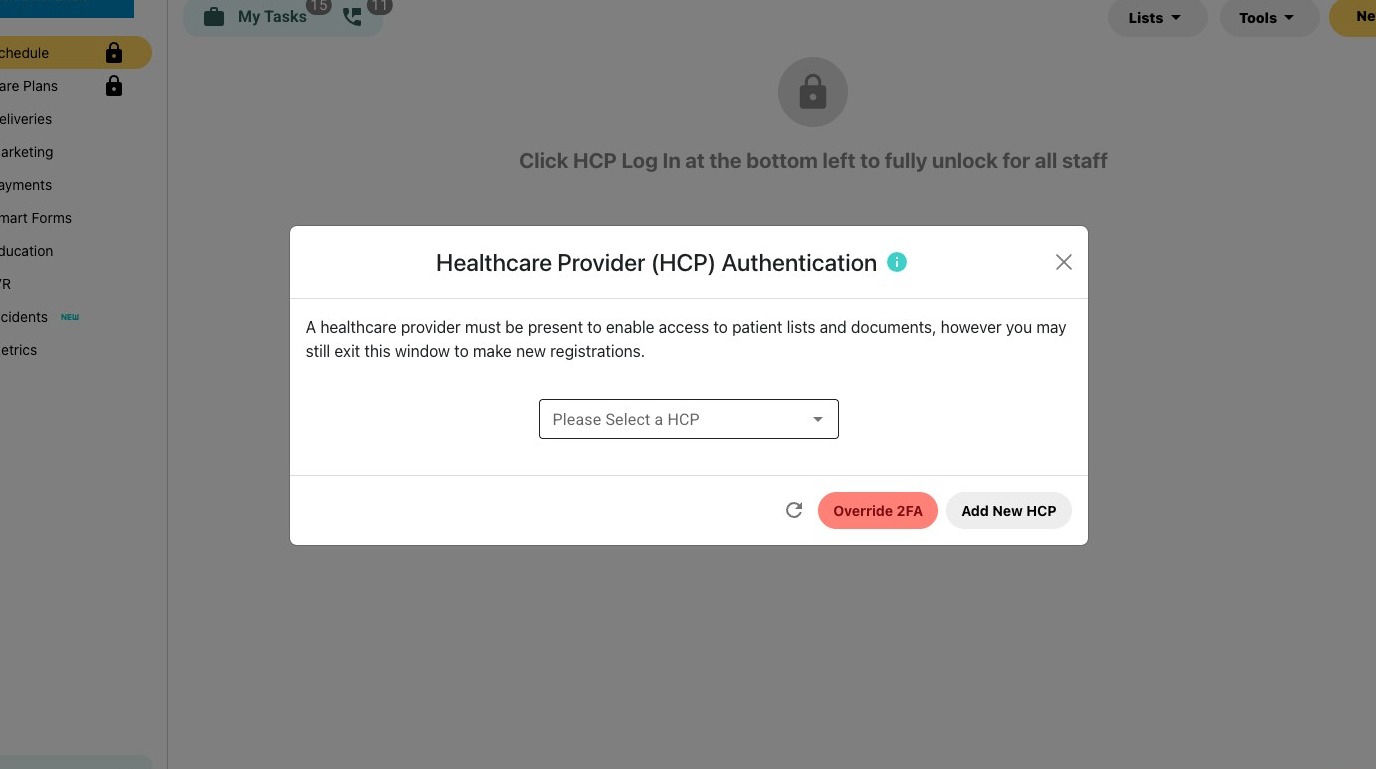
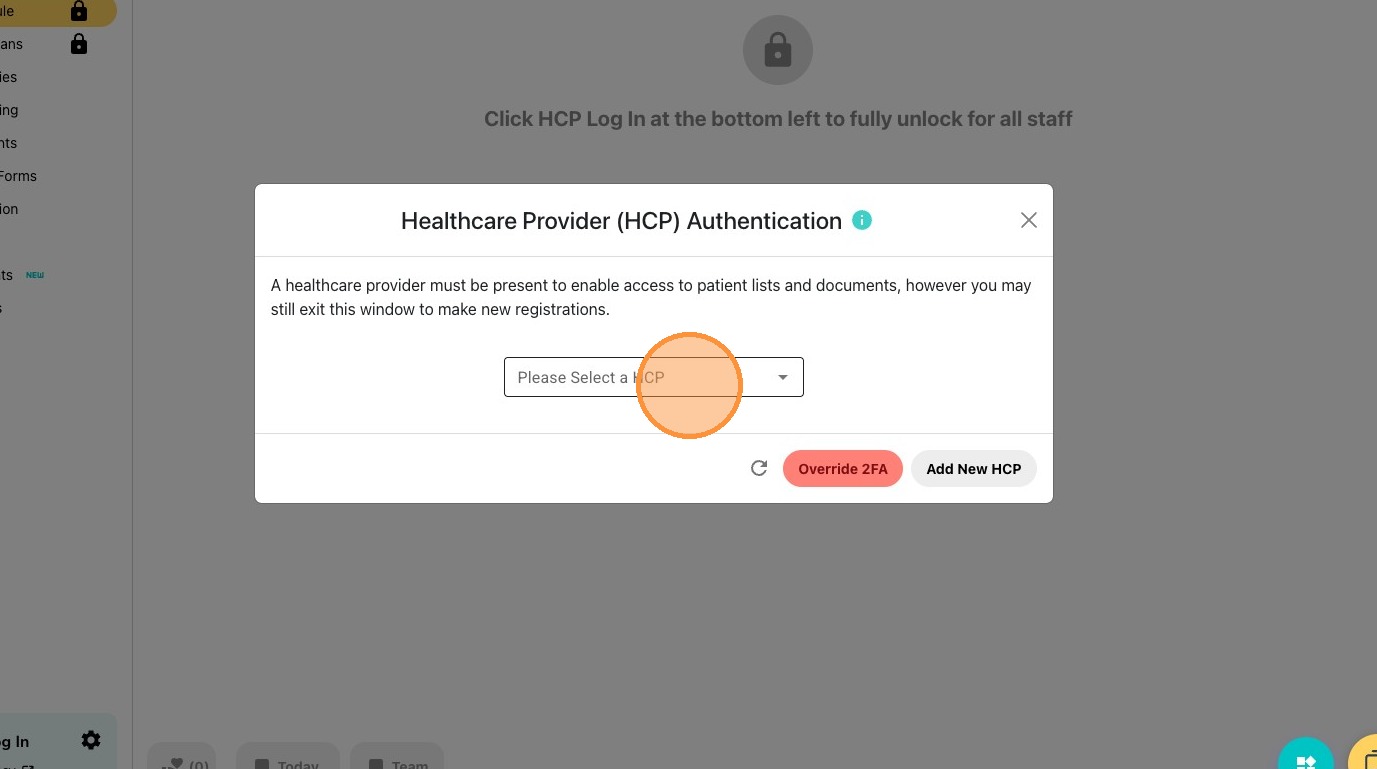
2\. Click the "Please Select a HCP" field.
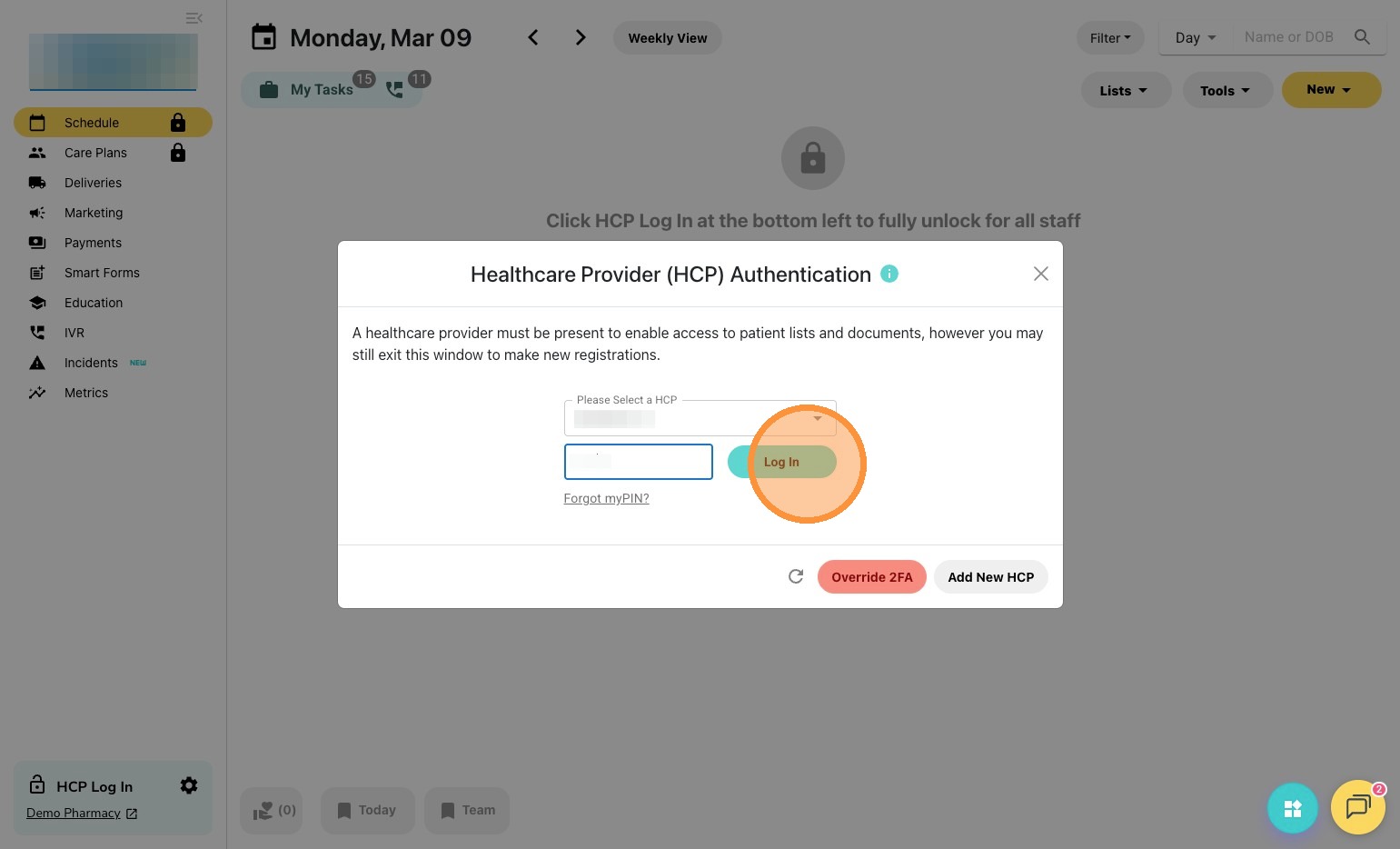
3\. Click "Log In"
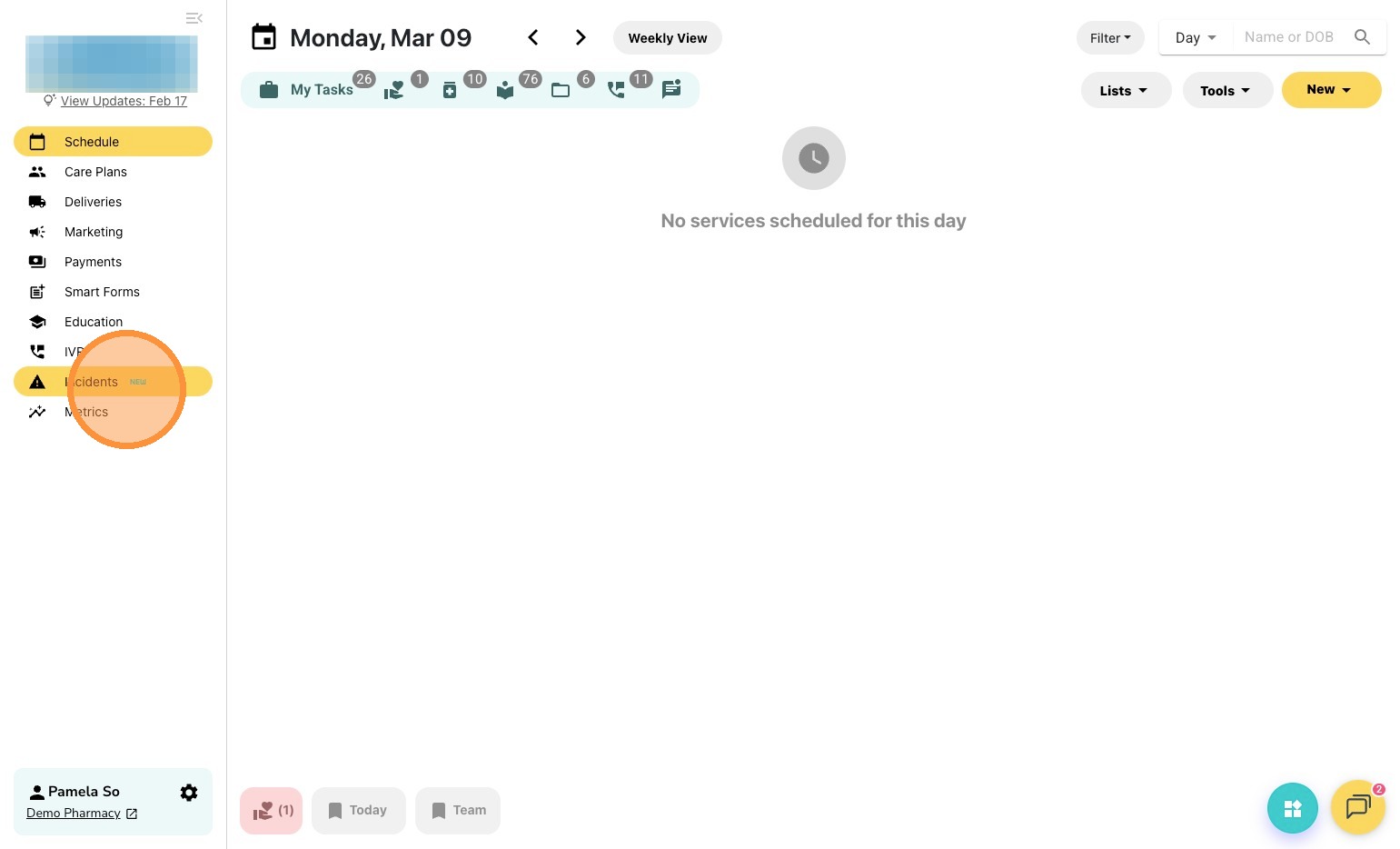
4\. Click the Incidents Tab
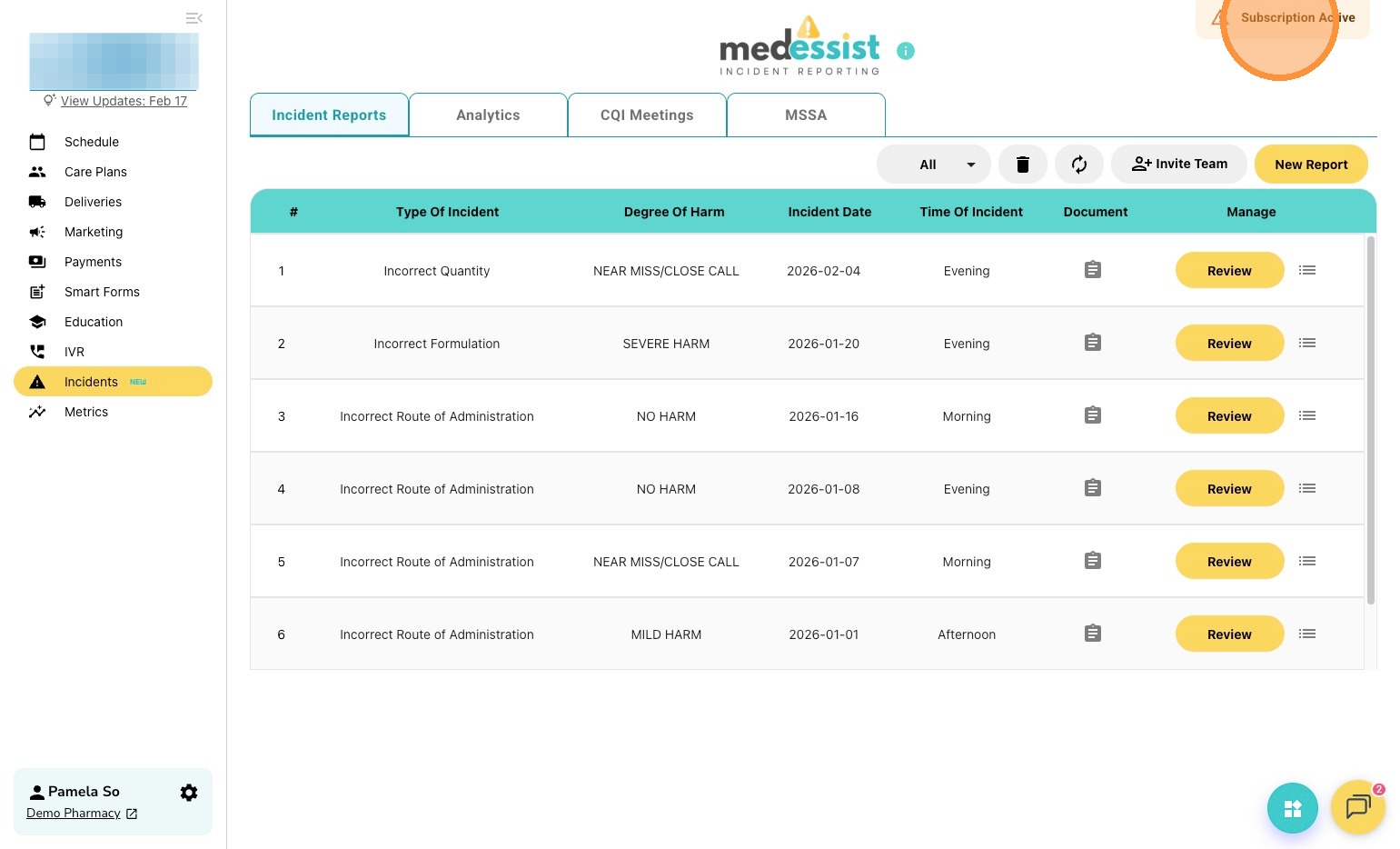
5\. Click "Subscription Active"
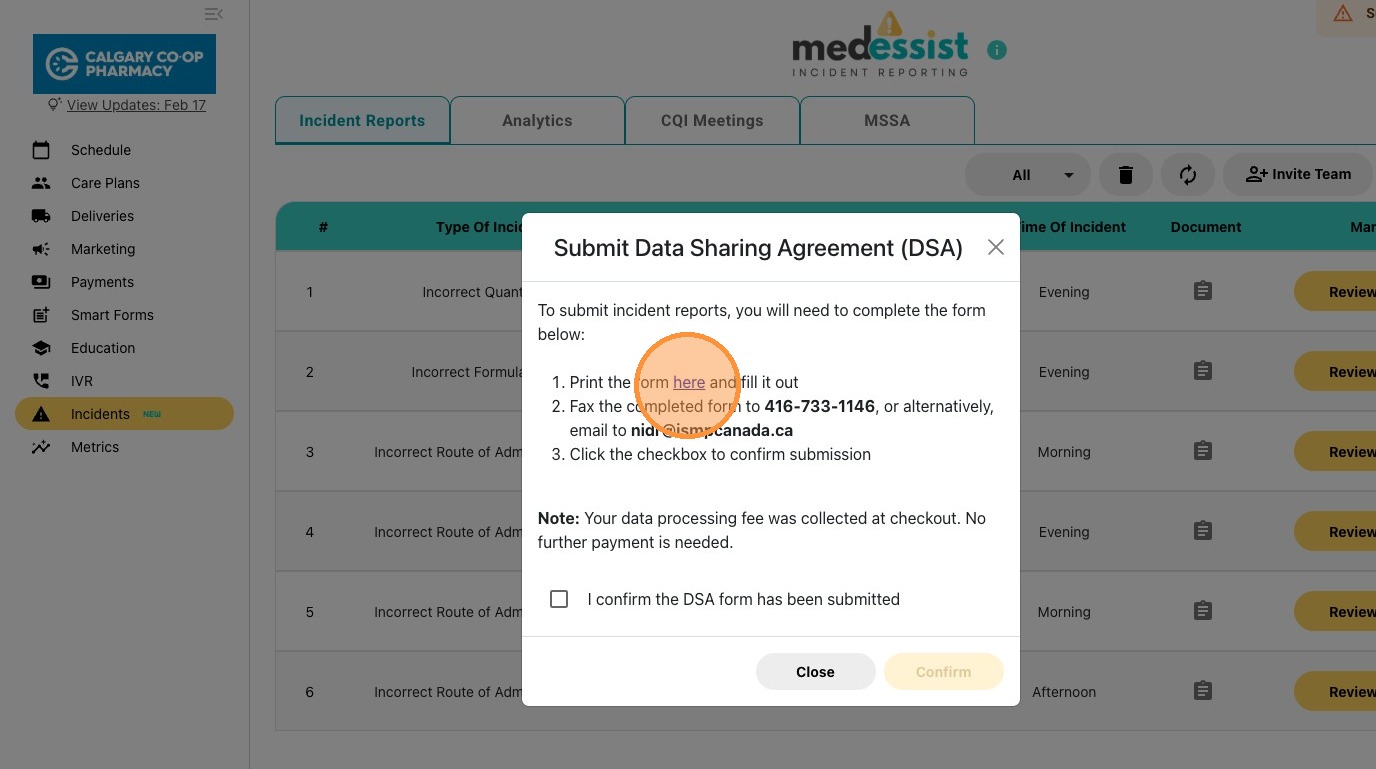
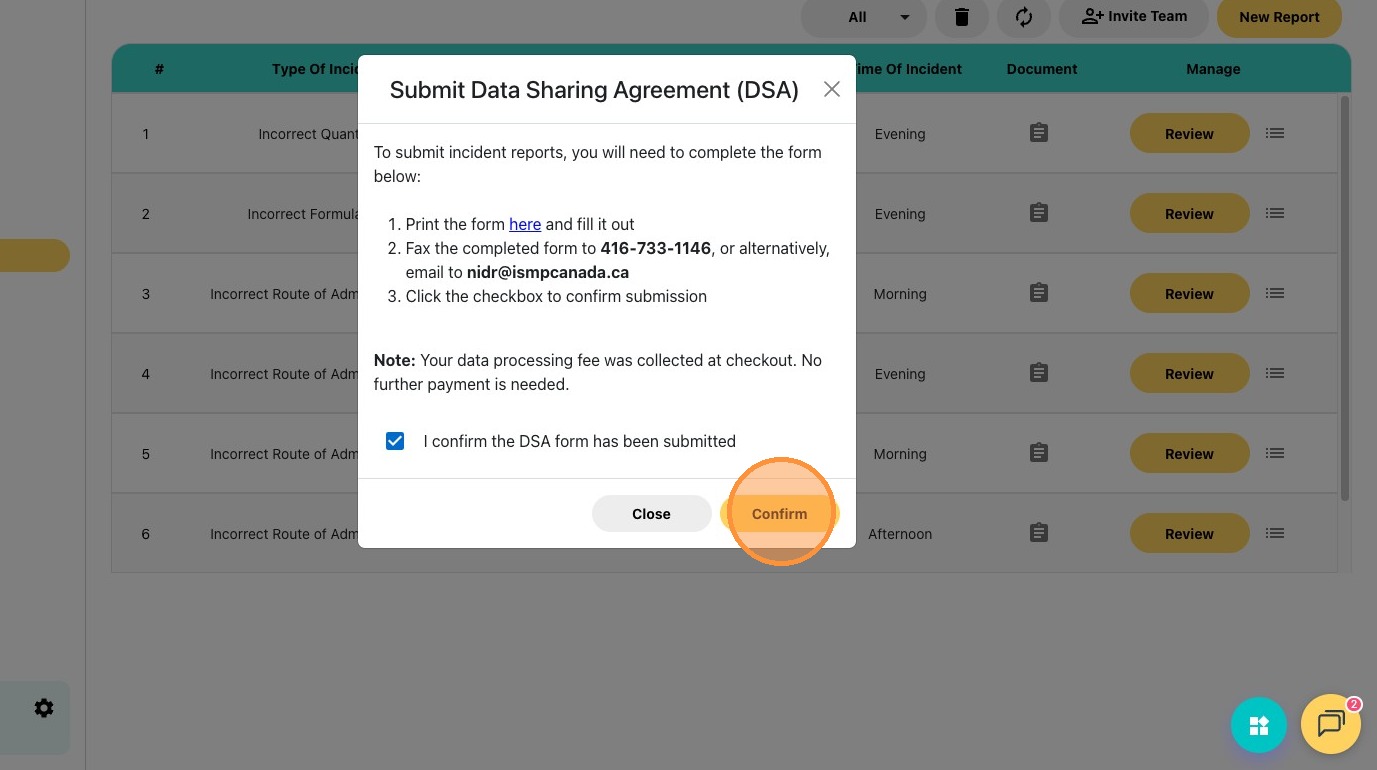
6\. Click "**here**" to open your province specific Data Sharing Agreement
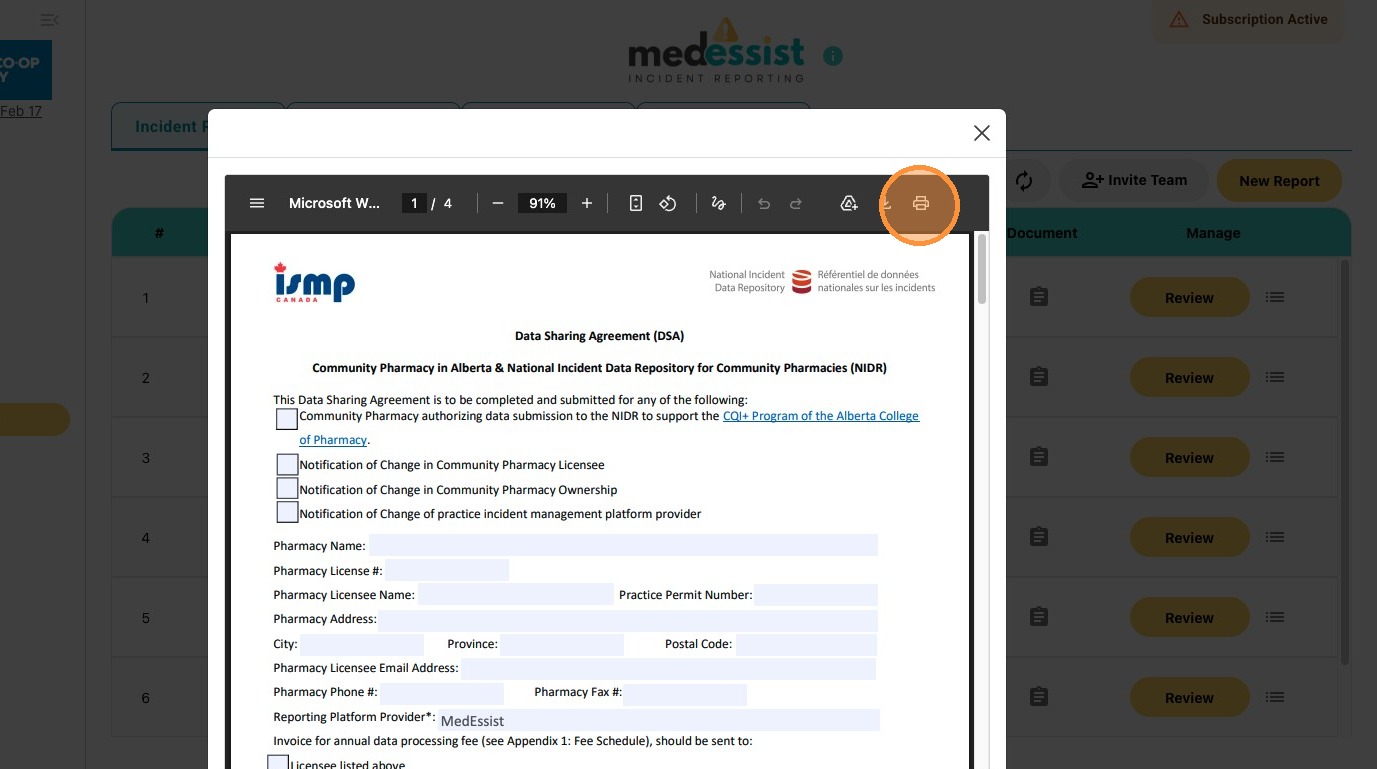
7\. Print and complete the PDF.
- Fax it to **416-733-1146** or email to **nidr@ismpcanada.ca**
8\. Once the DSA has been submitted. Check off "*I confirm the DSA form has been submitted*".
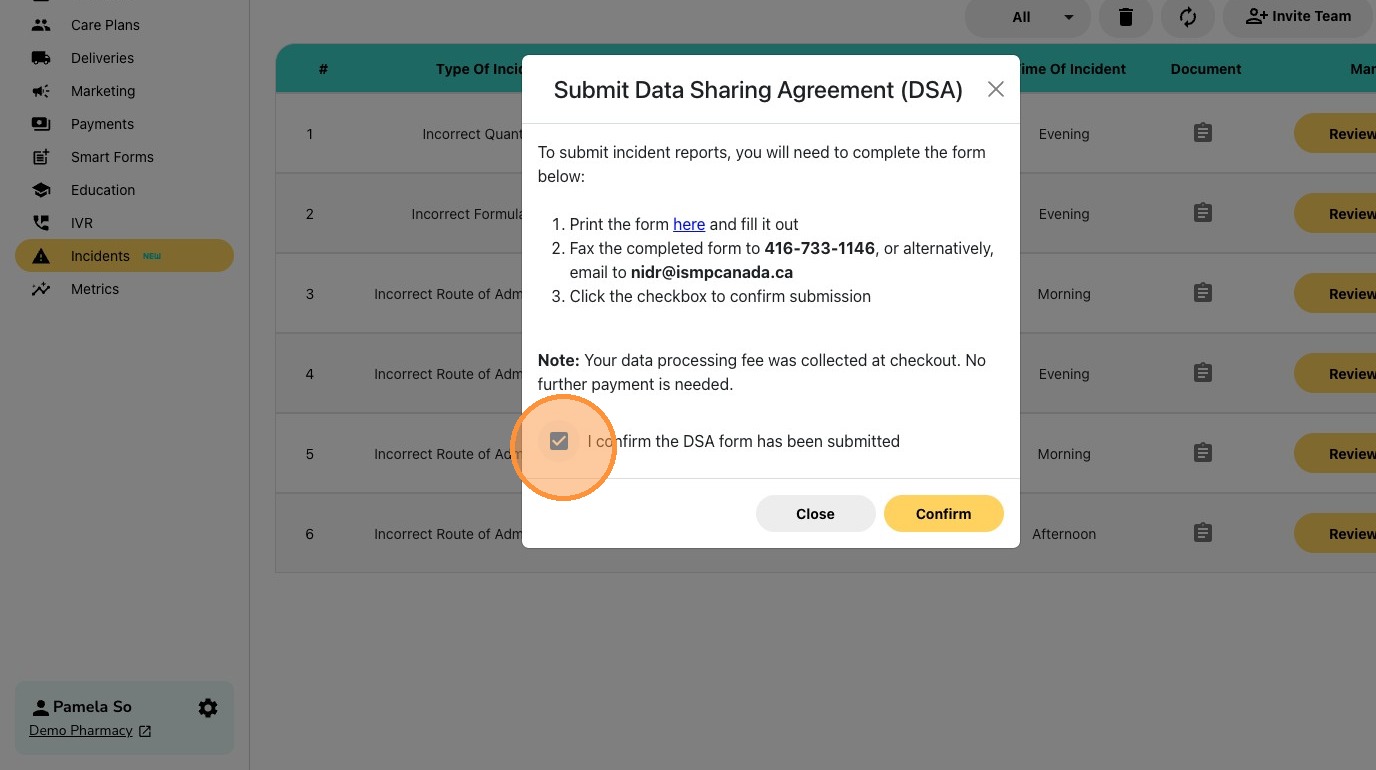
9\. Select **Confirm**, the banner in the right corner should now disappear.
Tip: That's it! You are now ready to submit reports to the NIDR.
- [Pharmacy Set-Up Guide](https://help.medessist.com/pharmacy-set-up-guide?hsLang=en)
- [Clinical Tools](https://help.medessist.com/clinical-tools?hsLang=en#main-content)
- [Minor Ailments and Prescribing](https://help.medessist.com/clinical-tools?hsLang=en#minor-ailments-and-prescribing)
- [Vaccines](https://help.medessist.com/clinical-tools?hsLang=en#vaccines)
- [Smart Forms](https://help.medessist.com/clinical-tools?hsLang=en#smart-forms)
- [Consultations and Assessments](https://help.medessist.com/clinical-tools?hsLang=en#consultations-and-assessments)
- [MedEssist Deliveries](https://help.medessist.com/medessist-deliveries?hsLang=en)
- [Incident Reporting](https://help.medessist.com/incident-reporting?hsLang=en#main-content)
- [Getting Started](https://help.medessist.com/incident-reporting?hsLang=en#getting-started)
- [FAQs](https://help.medessist.com/incident-reporting?hsLang=en#faqs)
- [Digital Storefront](https://help.medessist.com/digital-storefront?hsLang=en#main-content)
- [Branding](https://help.medessist.com/digital-storefront?hsLang=en#branding)
- [Adding and Editing Content](https://help.medessist.com/digital-storefront?hsLang=en#adding-and-editing-content)
- [Schedule & Appointments](https://help.medessist.com/schedule-appointments?hsLang=en#main-content)
- [Custom Services](https://help.medessist.com/schedule-appointments?hsLang=en#custom-services)
- [Communication Tools](https://help.medessist.com/communication-tools?hsLang=en)
- [Pharmacy and Account Settings](https://help.medessist.com/pharmacy-and-account-settings?hsLang=en)
- [Access to Care](https://help.medessist.com/access-to-care?hsLang=en#main-content)
- [FAQs](https://help.medessist.com/access-to-care?hsLang=en#faqs)
- [Marketing Tools](https://help.medessist.com/marketing-tools?hsLang=en)
- [Integrations](https://help.medessist.com/integrations?hsLang=en)
- [Lumi AI](https://help.medessist.com/lumi-ai?hsLang=en)
[](http://www.medessist.com)
[mailto:support@medessist.com](mailto:support@medessist.com)
Copyright © 2025, MedEssist