Learn how to view, manage, and upgrade your MedEssist subscription.
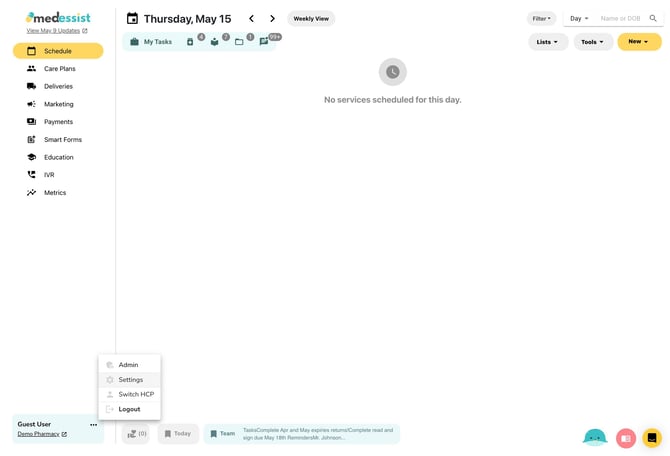
Open "Settings" from the three dots next to your name in the bottom left corner.
Click MedEssist Billing in the bottom of the lefthand sidebar to view or change your current plan, purchase any add-ons, or update your payment information.